Screen Recording is an important task, especially when you are creating tutorials, how-to-guides or any other activity that involves recording your screen sessions.
Kazam is a simple yet effective screen recording tool with a clean Graphical User Interface that allows you to capture your desktop sessions as video sessions. This tool also gives you the flexibility to select from following range of options to determine how you want to record your screen:
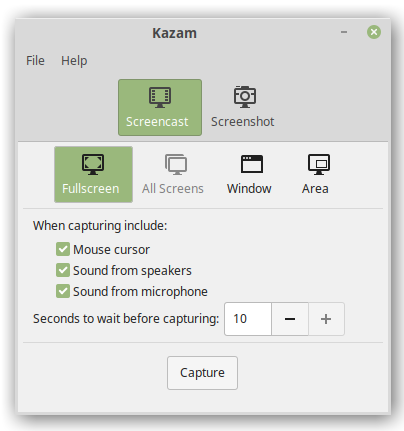
Open terminal window and type the following commands to install Kazam stable version to your system:
$ sudo add-apt-repository ppa:kazam-team/stable-series
$ sudo apt-get update
Now run the command below to install Kazam:
$ sudo apt install kazam
To verify Kazam installation use this command:
$ kazam --version
 Tech Kernel